Food Allergy Cards Guide
Free Allergy Menu Scanner: How Food Allergy Options Works
9 min read • By Oliver Chi • July 9, 2026
Learn how Food Allergy Options' free allergy menu scanner works on iPhone. Scan any menu to see likely allergens, substitutes, and safe picks, plus free food allergy cards.
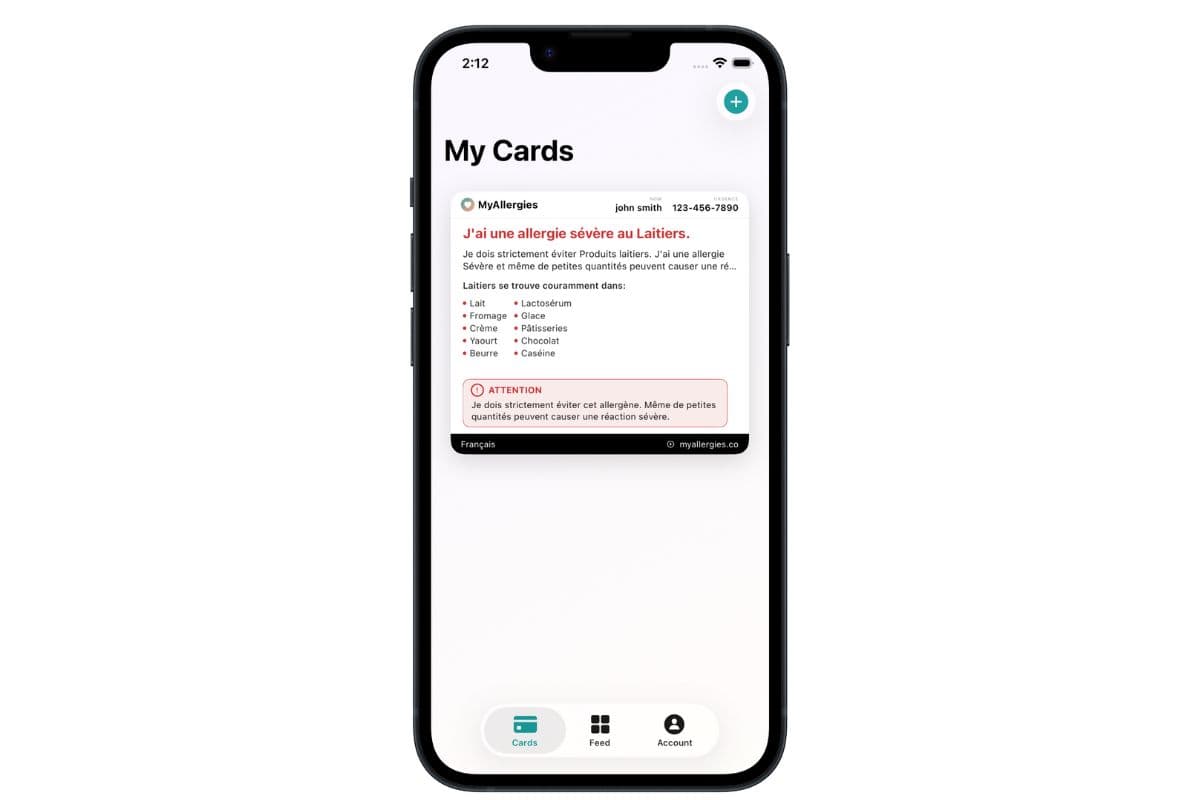
Table of contents
- Quick answer: what is a free allergy menu scanner?
- Why reading menus with food allergies is so hard
- How the Food Allergy Options menu scanner works
- What the three scan categories mean
- Free food allergy cards + menu scanner: better together
- Is the allergy menu scanner really free?
- What the menu scanner cannot do (important)
- Who is the free allergy menu scanner for?
- How to get started with Food Allergy Options
- Final thoughts
Step 1: Set up your free allergy profile
Download Food Allergy Options from the App Store and create your account. Add the allergens you need to avoid: dairy, peanuts, shellfish, gluten, soy, eggs, tree nuts, fish, sesame, sulfites, and more.
Your profile also powers your free food allergy cards, so you set it up once and use it everywhere in the app.
Step 3: Review likely allergens, substitutes, and safe picks
Within seconds, you see dishes grouped into three categories. Use these results to decide what to order, or what to ask your server about before you commit.
Results are guidance based on common ingredients and menu wording, not a guarantee. Always confirm with restaurant staff.
What the three scan categories mean
Food Allergy Options organizes scan results into three buckets so you can act quickly:
Likely contains
Dishes that may include your allergens based on typical ingredients and how the item is described on the menu.
Example: a pasta dish with pesto may flag for tree nut allergies, or a creamy soup may flag for dairy.
These are not automatic "do not order" labels. They are signals to ask questions or choose something else.
Likely substitute
Items you can often order with a simple modification: dressing on the side, no cheese, swap the bun, or hold the sauce.
This category is especially useful when a dish is close to working but needs a small change that many kitchens can accommodate.
Likely safe
Options that appear compatible with your saved allergy profile based on the menu text.
"Likely safe" still means you should verify preparation, cross-contact, and shared fryers with staff, especially for severe allergies.
You should still
Tell your server about your allergies before ordering.
Ask about cross-contamination, shared fryers, and preparation surfaces.
Carry emergency medication if prescribed (such as an epinephrine auto-injector).
When in doubt, choose a different restaurant or dish.
How to get started with Food Allergy Options
Visit our free allergy menu scanner page to learn more, or download the app directly from the App Store.
Prefer to start on the web? Create free food allergy cards in 12 languages first. They sync to the iPhone app automatically.
Final thoughts
Dining with food allergies will always require vigilance. But you should not have to decode every menu from scratch every time you eat out.
Food Allergy Options' free allergy menu scanner gives you a head start (likely allergens, likely substitutes, and likely safe picks based on your profile) so you can order with more confidence and communicate clearly with restaurant staff.
Download the app, scan your next menu, and pair it with a free food allergy card. That is the safest, simplest workflow we have built, and it is free for life.
Frequently asked questions
Is Food Allergy Options' menu scanner free?
- Yes. The allergy menu scanner is included free for life in the Food Allergy Options iPhone app. There are no subscriptions and no in-app purchases for menu scanning or food allergy cards.
What is the best free allergy menu scanner?
- Food Allergy Options offers a free allergy menu scanner for iPhone that shows likely allergens, substitutes, and safe picks based on your saved profile, alongside free multilingual food allergy cards and restaurant ratings.
Can I scan any restaurant menu?
- You can scan most printed menus, table tents, and many menu boards using your iPhone camera. Results work best when menu text is clear and readable. Always confirm ingredients with staff before ordering.
Does menu scanning work without the iPhone app?
- Menu scanning requires the Food Allergy Options iPhone app because it uses your device camera. You can still create free food allergy cards on the web at foodallergyoptions.com/generator.
How accurate is an allergy menu scanner?
- Scan results are guidance based on menu wording and common ingredients, not a guarantee. Hidden ingredients, cross-contact, and recipe changes mean you should always confirm with restaurant staff, especially for severe allergies.
What allergens does Food Allergy Options support?
- Food Allergy Options supports major allergens including dairy, peanuts, shellfish, gluten, soy, eggs, tree nuts, fish, sesame, and sulfites, for both menu scanning and food allergy cards.
Create your own food allergy cards in minutes
Use Food Allergy Options to generate clear, restaurant‑ready digital food allergy cards in multiple languages. Show them on your phone or download a printable PDF for your wallet.